
- Training
- Service
- Promotion
- Schedule
- Testing Center
- News
- Contact
3/22/2023


Microsoft has added a Formula Argument Assistance card to Excel Web!
Formula Argument Assistance card accompanies you while writing a formula, and helps you insert or edit the arguments.
You no longer need to reach out to external sources for help when you are typing your formula! The Argument Assistance card will help you write formulas more efficiently and reduce errors.
About the feature
The Argument Assistance card provides descriptions of the function and the different arguments, as well as an example:
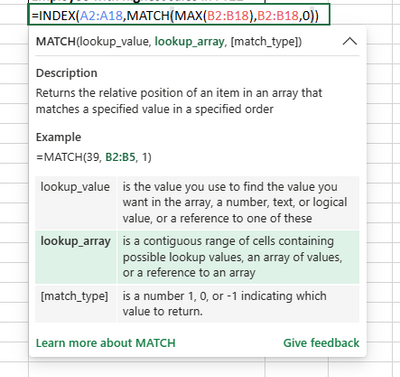
The card includes formula and arguments descriptions, and an example.
For better orientation, the relevant argument is highlighted during formula editing:
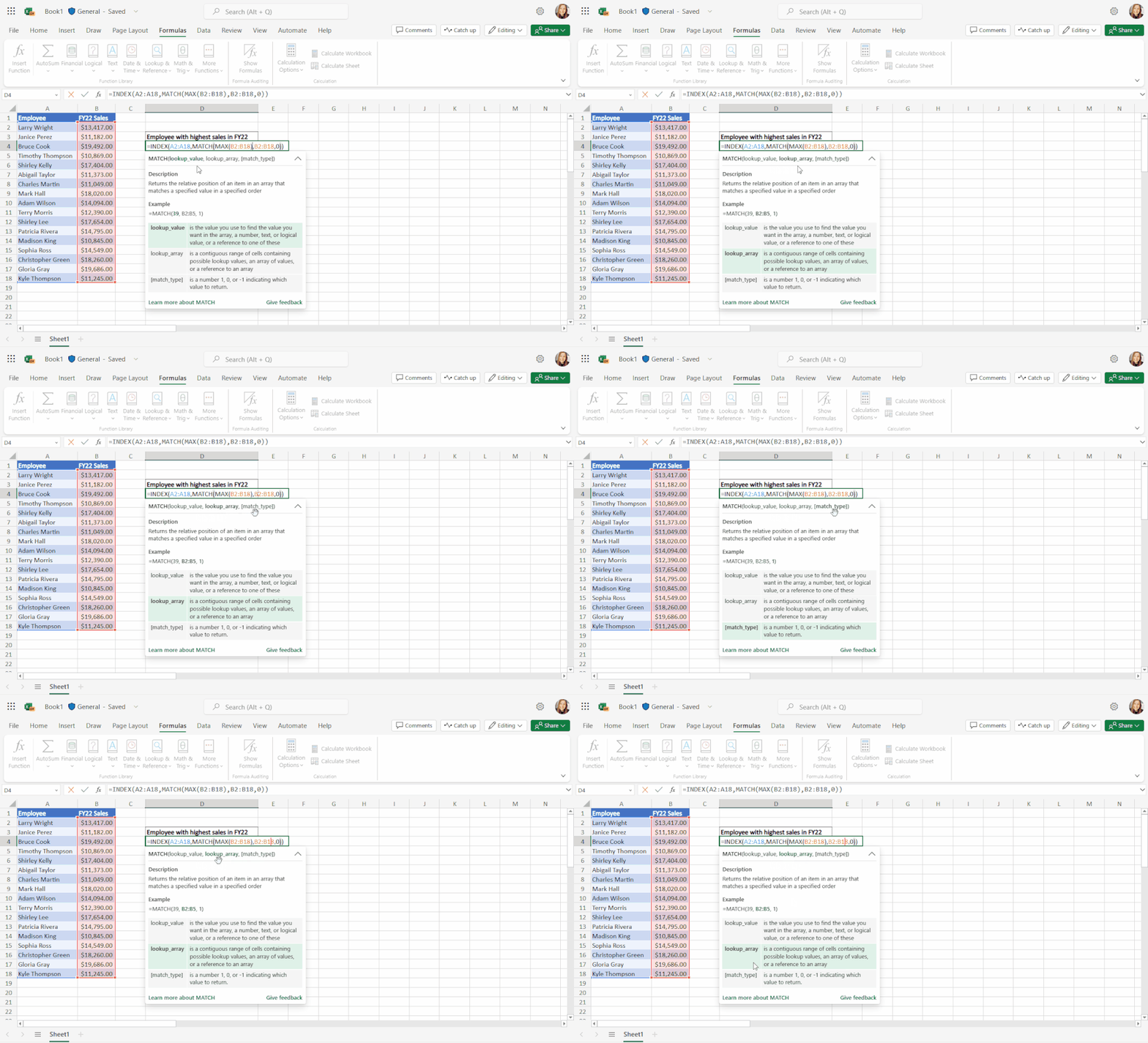
The relevant argument is highlighted.
The card can be collapsed and expanded. You can collapse the card and display only the formula signature if you don't want to hide much of the grid:
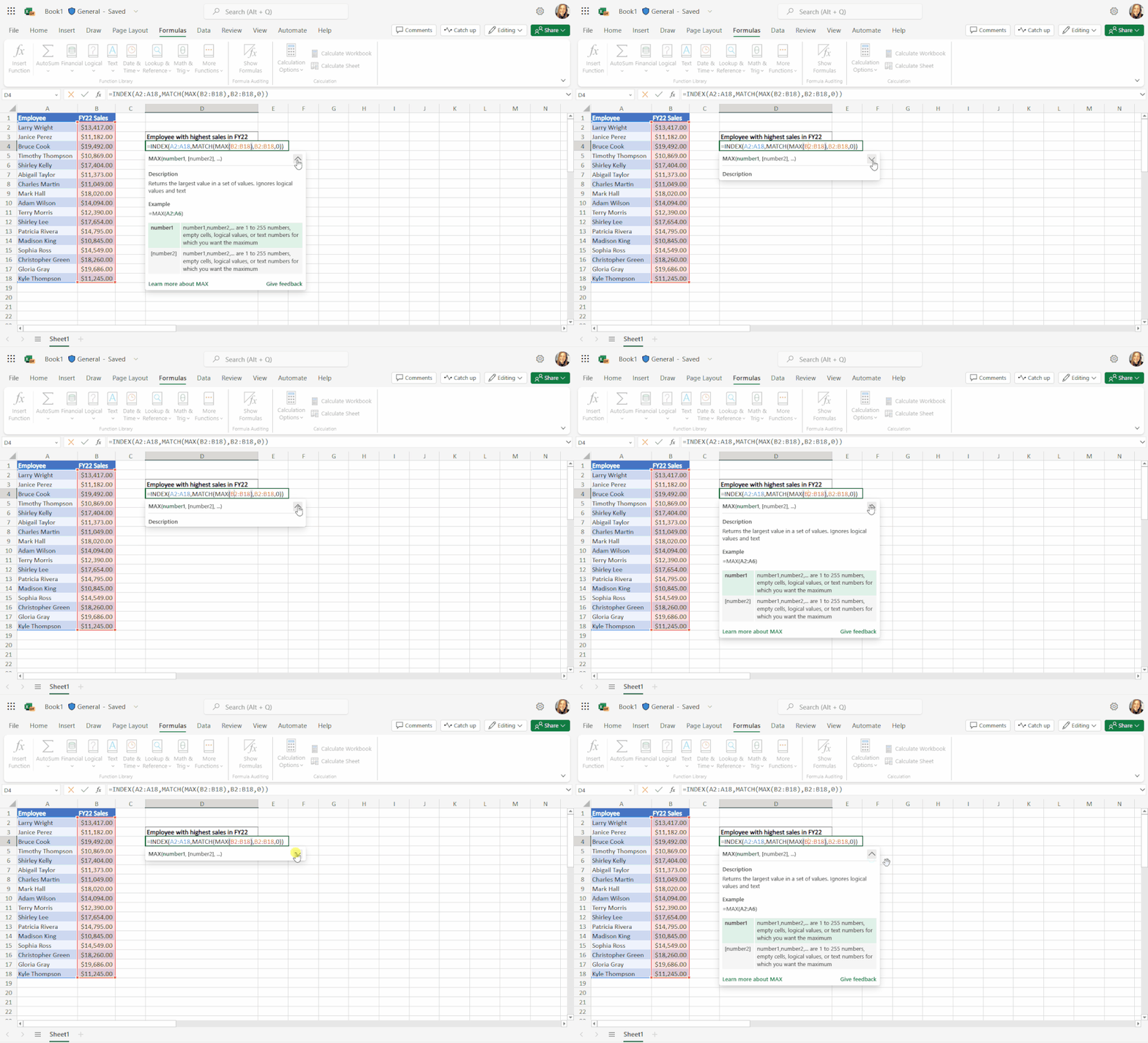
The card can be collapsed or expanded.
For convenience, the card can be dragged and moved around the screen:
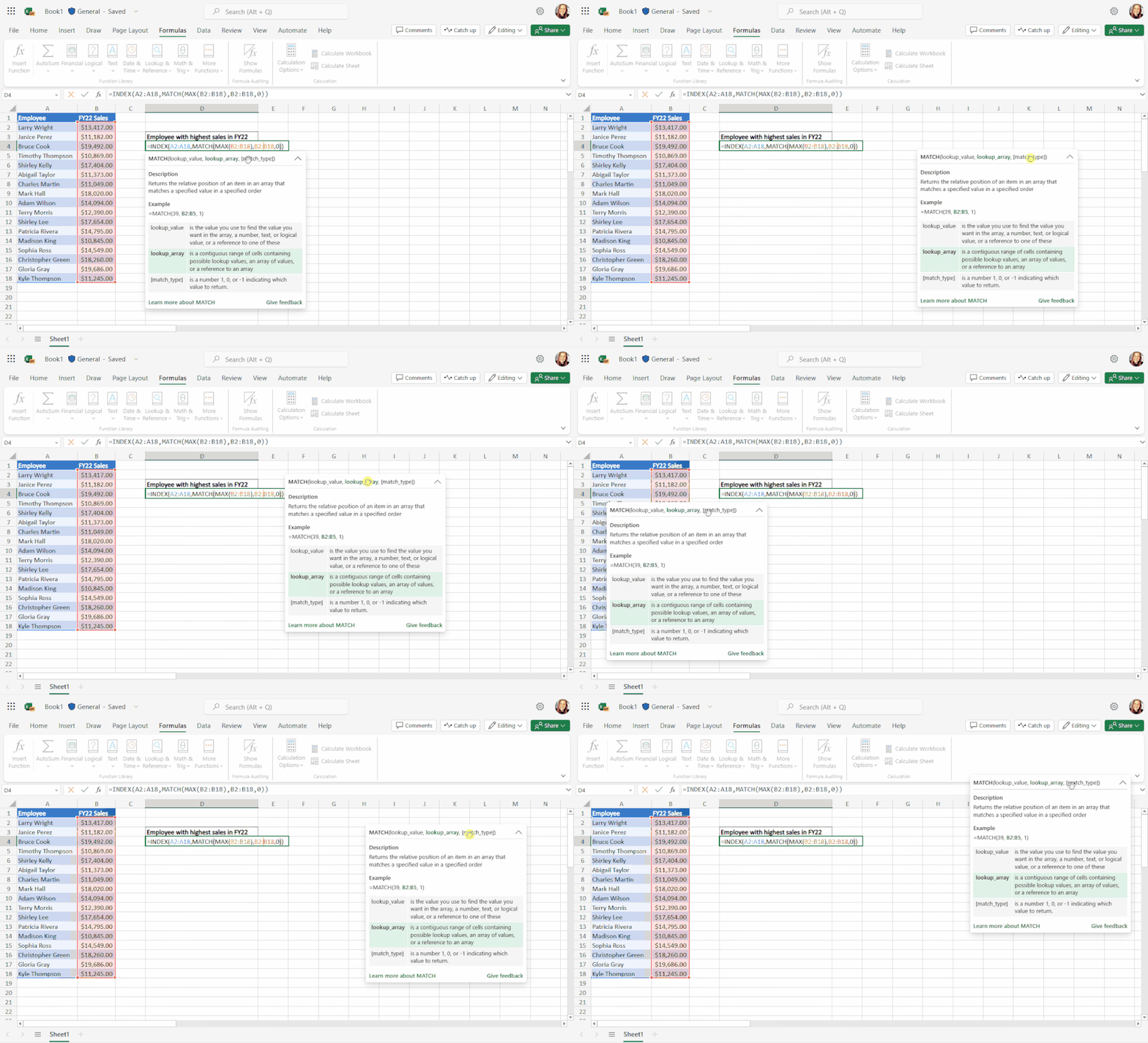
The card can be dragged around the screen.
How does it work?
Start typing a formula in a cell or in the formula bar. After writing the formula name and the opening parenthesis, the card will appear.
For example: =VLOOKUP(
OR choose a function from the Insert Function dialog OR from the dropdown menus in the Formulas tab.
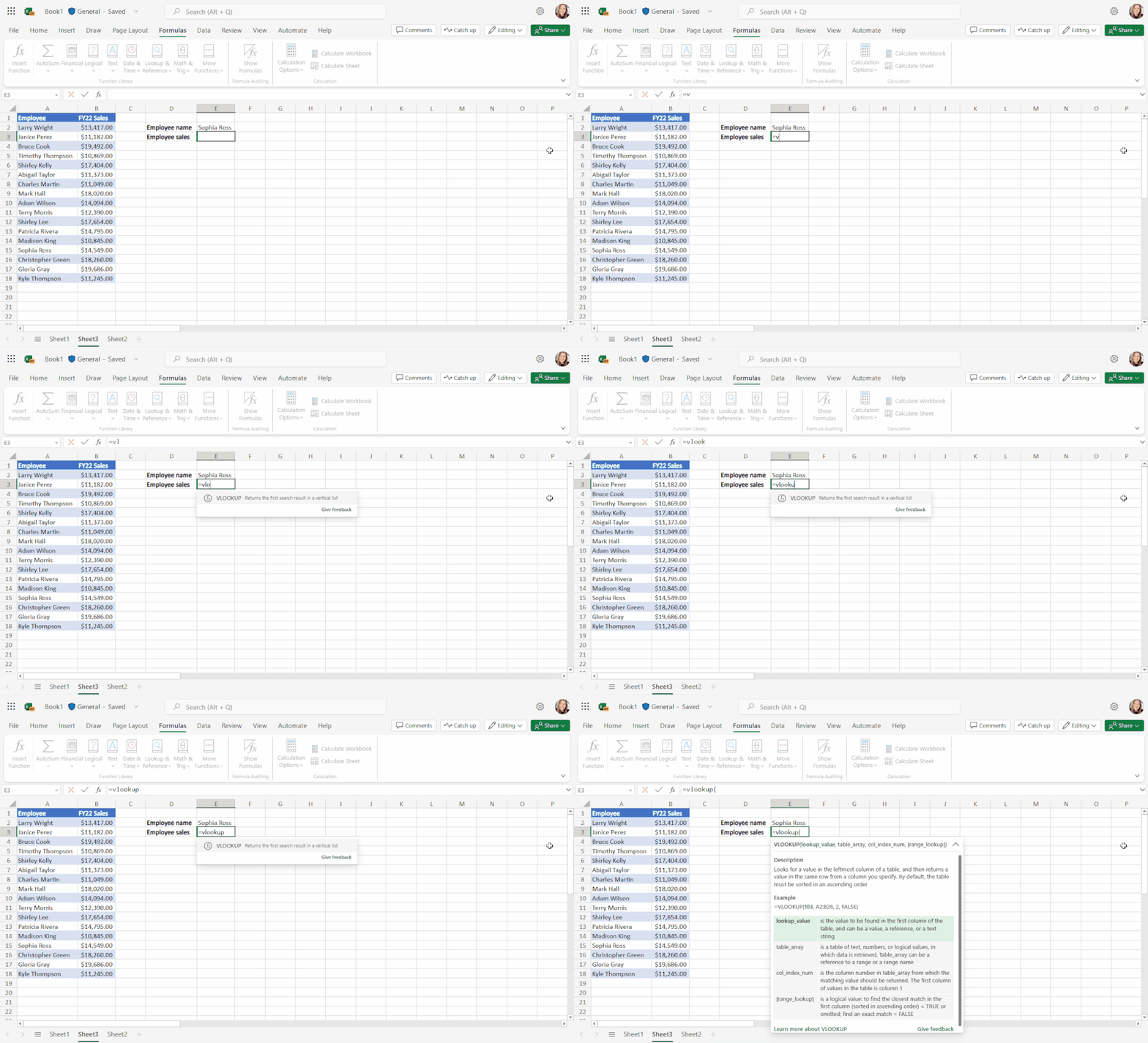
Card appears after opening parenthesis.
Feedback
You can share your feedback with Microsoft by clicking the Give Feedback button that can be found at the bottom of the card.
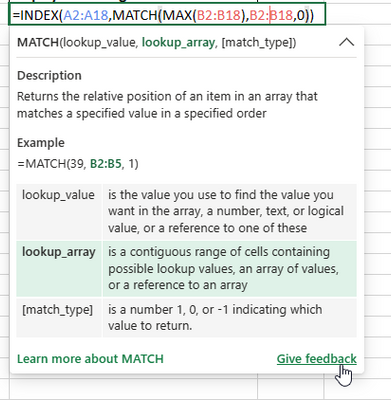
Share your feedback.
Source: techcommunity.microsoft.com

12/11/2025


